
How to Use an AI Avatar Generator | Tools & Tips
In today’s world, having an online presence is an important part of modern life for many people. Whether you engage in personal branding to expand your career prospects, use web platforms as a creative outlet, or simply want to keep up with your social network—most of us already have a digital persona.
With the help of AI, you can now create a personalized avatar that’s perfectly tailored to the image you want to cultivate online. In this guide, you’ll learn how to use QuillBot’s free AI Avatar Generator to create custom images.


What is an AI Avatar Generator?
An AI Avatar Generator allows you to make personalized digital portraits and characters based on text prompts. They’re ideal for branding, online profiles, and content creation.
The best part is, you no longer need advanced skills in photography, graphic design, or image editing tools to make your online persona exactly how you want it. That’s because AI Avatar Generators are:
- Beginner friendly: No technical skills required. You can try it today by using simple, text-based prompts.
- Customizable: Tweak and iterate your avatar until it’s exactly how you want it.
- Time saving: No need to pour time and money into post-production to get the perfect image.
How to use QuillBot’s free AI Avatar Generator
Making a customized digital avatar with QuillBot’s AI Avatar Generator is as easy as 1-2-3. Just follow these simple steps to get started.
1. Describe your idea
In the “Your Input” text field, type a detailed description of the avatar you wish to create.
2. Choose your style
Under “Style,” click the dropdown menu, and choose your look. Select from options like anime, realism, fantasy world, and more.
3. Generate your avatar
Once you’ve entered all your information, simply click the “Generate an avatar” icon to see your image. You’ll then be presented with two options, and you can continue to iterate from there.
AI Avatar Generator: Prompt ideas and examples
The AI Avatar Generator is useful for anyone with an online presence. Below you’ll find some examples of how it can help you enhance your web persona. Use and adapt the prompts to fit your needs.
Gamers and streamers
Create custom characters that communicate your unique personality and help you stand out.

Writers and storytellers
Many use online platforms as a creative outlet for sharing writing and other personal projects. Extend that imaginative spirit to your digital persona by creating an avatar.
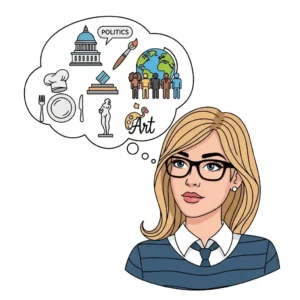
Professionals
From finance to tech to legal services, having a strong online presence is nonnegotiable for modern professionals. Opt for a custom avatar to save time and money on portraits.

AI Avatar Generator: Helpful tips
While QuillBot’s AI Avatar Generator is simple and easy to use, there are best practices you can use to yield the best results.
- Be as detailed as possible. The more details you can give in your prompts the more unique and lifelike the result.
- Play around with styles. Use the AI Avatar Generator as a creative partner by testing out different styles listed in the dropdown menu.
- Consider the background. The background of your image offers potential to add context and details to make your avatar standout.
- Iterate, iterate, iterate. Keep on tweaking by generating multiple drafts to see all the ways your prompt can be expressed.
Frequently asked questions about AI avatar generators
- What is the best AI avatar generator?
-
The best AI avatar generator depends on your needs. For example, consider whether you are an individual creator or part of an enterprise-level company.
If you’re new to avatar design, you need a tool that is:
- Beginner friendly
- Highly customizable
- Time and money saving
QuillBot’s free AI Avatar Generator offers all of these benefits, and it’s free to try.
- What is an AI avatar video generator?
-
An AI avatar video generator is a type of AI avatar generator that creates video content featuring human-like or animated avatars based on prompts.
Develop your video idea with QuillBot’s free AI Storyboard Generator.
- Are AI avatar generators free?
-
Some platforms allow you to use their AI avatar generators free of charge. Others require you to subscribe and pay a monthly fee.
Always check the website of the tool you want to use in order to find all information about pricing plans so you can find one that suits your budget.
If you’re looking for a free option, QuillBot’s free AI Avatar Generator.
Cite this QuillBot article
We encourage the use of reliable sources in all types of writing. You can copy and paste the citation or click the "Cite this article" button to automatically add it to our free Citation Generator.
Cichanowicz, L. (2026, March 27). How to Use an AI Avatar Generator | Tools & Tips. Quillbot. Retrieved March 27, 2026, from https://quilbot.smservicestools.com/blog/image-tools/how-to-use-an-ai-avatar-generator/

